Complete guide · Tor · PGP · OPSEC

How to Open Torzon Onion Safely — Tor Guide 2026

This guide is for education and research. It explains how the Torzon onion works as a piece of technology, how to open it in Tor safely, and how to tell a genuine address from a clone. Read it once and the rest of the site makes sense: the onion box on the home page, the mirror list, and the verification habits all rest on the ideas below.

What Is a Torzon Onion Service

A Torzon onion is a hidden service — a server that lives entirely inside the Tor network and never exposes an IP address. You reach it through a .onion address rather than a normal domain. The difference is not cosmetic. A clearnet domain is a name someone rented; a Torzon onion address is a cryptographic key written in a readable form.

In the current v3 format, that address is exactly 56 characters: lowercase letters, the digits 2 through 7, ending in .onion. Those characters are a Base32 encoding of a 256-bit Ed25519 public key plus a checksum and a version byte. Because the address is the public key, the connection is self-authenticating — when Tor connects, it confirms the service holds the matching private key before any page loads. No one can stand in the middle pretending to be the Torzon onion without that private key, which only the operators hold. That single property is why the onion address itself, once verified by signature, is the proof of authenticity. To grab a current verified address, see the live mirror list once you finish this guide.

Installing & Hardening Tor Browser for Torzon

How to open Torzon onion 2026 — install and harden Tor Browser for .onion access

You open a Torzon onion with Tor Browser, and how you set it up decides whether the session is private. Three steps cover the basics:

  1. Download Tor Browser from torproject.org only. Never an app store build, never a third-party mirror. Verify the download signature if you can — the Tor Project publishes one for exactly this.
  2. Set the security level to Safest. Open the shield menu and choose Safest. This disables JavaScript across every site, which closes the most common deanonymization path. The Torzon onion is designed to work without scripts, so you lose nothing that matters.
  3. Do not resize the browser window. Tor Browser ships at a standard size on purpose; a custom window size is a fingerprinting signal. Leave it as it opens, and avoid installing extra add-ons that change its behavior.

With Safest set and the window untouched, Tor Browser is ready for a Torzon onion. Paste the verified 56-character address, press Enter, and give the onion connection a few seconds to negotiate its circuit. That short delay is Tor doing its job, not a fault.

Using Tails or Whonix with Torzon

Tor Browser protects the connection. Tails and Whonix protect the rest of the machine, and the marketplace strongly recommends a desktop running one of them over Tor — mobile is officially unsupported because phones leak identifiers.

Tails

Tails is an amnesic operating system you boot from a USB stick. It runs in RAM, routes everything through Tor, and forgets the session on shutdown — nothing is written to the host disk. Boot it, open the Torzon onion, power off, and there is little left to recover. The amnesia is the feature.

Whonix

Whonix takes a different route: traffic isolation. It splits the system into a gateway that talks to Tor and a workstation that can only reach the network through that gateway. Even if an application on the workstation tried to leak your real IP, it has no path to do so — every route runs through the Tor gateway. For opening a Torzon onion repeatedly from a dedicated machine, that isolation is hard to beat.

Either choice raises the floor under Tor Browser. The connection is private because of Tor; the device is private because of Tails or Whonix. Together they are the recommended way to open a Torzon onion in 2026.

Torzon PGP — Verify the Onion Address

Torzon onion security 2026 — PGP verification of the .onion address before login

Opening the Torzon onion is half the job; confirming it is the real one is the other half. The tool for that is PGP, and the logic is the same one the whole site rests on — the address proves nothing alone, but a signature over the address proves everything. Here is how to verify a Torzon onion with PGP:

  1. Get the operators' public key and import it. Confirm its fingerprint against the one pinned on Dread — not against a key handed to you by the page you are checking — then import it into GnuPG or Kleopatra.
  2. Fetch the PGP-signed mirror announcement the Torzon team publishes.
  3. Verify the signature. Run a signature check on the signed message; it must report a good signature from the imported key.
  4. Match the address. Confirm the onion address in the verified message matches the one you intend to open, character for character — all 56.

If the signature is good and the addresses match, you have a genuine Torzon onion. If the signature fails, stop. PGP is also mandatory for vendor communication once you are inside, built on 4096-bit keys, so importing it now pays off twice. Need the signed list itself? It is linked from the verified mirror list.

Torzon Cryptocurrency Privacy — XMR vs BTC

Payments on the Torzon onion are built around privacy, and the coin you choose changes how private the transaction actually is. Three are supported: Monero (XMR) at a 0.5% fee, Bitcoin (BTC) at 2%, and Litecoin (LTC).

Monero is the recommended default, and the reason is the protocol itself. Ring signatures mix your transaction with others so the true sender hides in a crowd. Stealth addresses create a one-time destination for every payment, so nothing on the chain ties back to a reusable wallet. Confidential transactions hide the amounts. The transaction is private by default — you do not have to remember to mix it afterward.

Bitcoin is more transparent by nature, since its blockchain is public, so Torzon layers privacy tooling on top. There is an integrated CoinJoin mixer, Lightning Network support for faster and cheaper transfers, and automatic address rotation to frustrate analysis. There are also built-in Monero-to-Bitcoin atomic swaps, which let you move between coins without trusting a third-party exchange — the swap settles atomically or fails entirely, with no window where a middleman holds your funds. For privacy with the least effort on a Torzon onion in 2026, Monero is the simpler choice; Bitcoin with CoinJoin and Lightning is the flexible one.
Monero · XMR / USD
24h —
Bitcoin · BTC / USD
24h —

Torzon OPSEC Basics

Strong tools do not save weak habits. Most deanonymization comes from operational mistakes, not broken cryptography, so opening a Torzon onion safely is mostly about discipline. Work this checklist into every session:

  1. Use Tor Browser at the Safest level for all access — JavaScript off.
  2. Run a desktop with Tails or Whonix; avoid mobile, which leaks device identifiers.
  3. Never use your real name, email, or any personal information anywhere on the Torzon onion.
  4. Pick a unique username and password used nowhere else — no reuse from other sites.
  5. Verify every onion address by PGP signature before logging in.
  6. Encrypt anything sensitive with PGP before it touches the network.
  7. Never link the activity to a clearnet identity, account, or device you use daily.
  8. Keep a dedicated machine or boot medium for this and encrypt your drives.
  9. Bookmark the signed source, not a raw onion address, since addresses rotate.

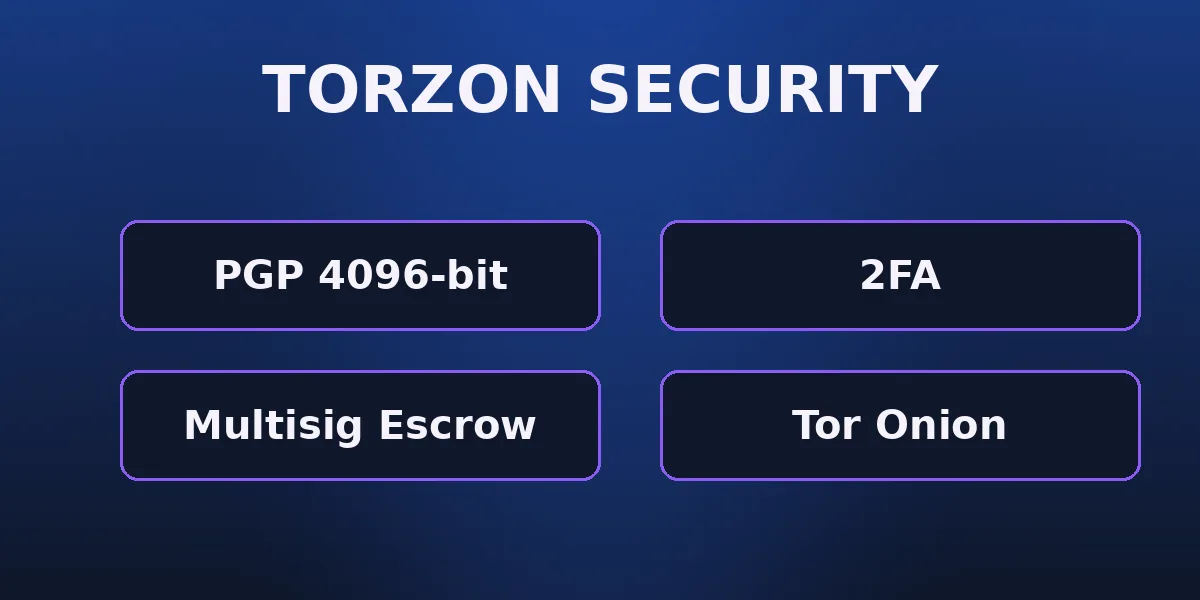
None of these is hard on its own. Skipping any one of them is where trouble starts. The Torzon onion's own security model — PGP, 2FA, post-quantum encryption, RAM-only servers — protects the platform side; this list protects yours.

Escrow & Buyer Protection on Torzon

Once you are on the Torzon onion, escrow is what protects a purchase, and the design is unusually buyer-friendly. Torzon runs walletless escrow: the marketplace holds no internal balances and keeps no large reserves. Funds move directly into a 2-of-3 multi-signature address that needs two of three keys to release — buyer, vendor, and platform each hold one, and the platform's key is for dispute resolution only. No single party, administrators included, can move the money alone.

On top of the multi-sig sit time-locked smart contracts. If a dispute is not resolved within 14 days, the funds return to the buyer automatically — no operator approval, no action required. Auto-finalization runs on a clear schedule: 14 days for international orders, 7 for domestic, with extensions tied to your account tier. Trusted vendors can offer Finalize Early, where the buyer accepts the risk for an instant release. Every rule is mechanical, which is the point — automated rules hold value during a dispute precisely because no one has to choose to honor them. Backed by a 99.3% dispute-resolution rate, that is the protection layer behind every Torzon onion session.

Torzon Onion Won't Open? Fix Tor Connection Issues

A Torzon onion that will not load is almost always a Tor circuit problem, not a dead marketplace. Onion connections are more fragile than clearnet ones, and most failures clear with one of these fixes. Try them in order:

  1. Build a new Tor circuit for the site from the Tor Browser menu, then reload. This clears the majority of failed onion loads. If a stale session keeps misbehaving even with the right address, restart Tor Browser with Safest set.
  2. Wait longer. An onion connection negotiates a rendezvous circuit, so the first load can take 10–20 seconds. A spinning page is often just slow.
  3. Re-check the address. One wrong character in 56 sends you nowhere — re-copy the full v3 string and paste it whole.
  4. Switch to a current mirror. URLs rotate, so a saved address may have cycled out. Pull a fresh one from the verified mirror list.

If all four fail, it is almost certainly a temporary rotation, not an outage — recall the 98%+ uptime and under four hours of downtime a month. Grab another verified address from the current mirror list rather than assuming the Torzon onion is gone.

How to Open Torzon Onion — Frequently Asked Questions

Install Tor Browser from torproject.org, set the security level to Safest, paste the verified 56-character .onion address into the address bar, and wait a few seconds for the circuit to build. Confirm the address against the PGP-signed list before logging in.

A hidden service that runs entirely inside the Tor network with no exposed IP. You reach it through a .onion address that is itself a public key, which makes the connection self-authenticating — Tor verifies the service holds the matching private key before any page loads.

Because a v3 onion address encodes a 256-bit Ed25519 public key in Base32, plus a checksum and version byte. The length is the size that key needs to be readable. A shorter address is the deprecated v2 format and should not be trusted in 2026.

Usually a Tor circuit issue. Build a new Tor circuit for the site, wait 10–20 seconds, re-check the address character for character, restart Tor Browser, or switch to a current mirror. Walk through the fixes in the section above.

Not strictly — Tor Browser alone opens it. But the marketplace strongly recommends a desktop running Tails or Whonix, because they protect the whole device. Tails is amnesic and forgets the session; Whonix isolates all traffic through a Tor gateway.

Tor wraps your traffic in layers of encryption and routes it through several relays so no single node sees both who you are and what you reach. An onion service adds more: there is no exit node, so traffic never leaves Tor in the clear, and both ends stay hidden behind a rendezvous relay.

You do not need it just to load a page, but you should use it to verify the address before logging in, and PGP is mandatory for vendor communication inside. Import the operators' 4096-bit key once and every later check is quick.

Monero is the recommended default — a 0.5% fee and privacy built into the protocol through ring signatures, stealth addresses, and confidential transactions. Bitcoin works at 2% with CoinJoin mixing and Lightning support if you need the flexibility.

Loading the onion does not, but logging into an account uses 2FA, and you should enable it. Torzon supports TOTP authenticator apps, PGP-based 2FA, and hardware keys such as YubiKey — the hardware option is phishing-resistant by design.

Check the PGP signature on the operators' mirror announcement, match the address character for character, confirm the 56-character Base32 format, and check the warrant canary is current within 72 hours. A clone can copy the page but not a valid signature.

For resilience. Spreading the service across 9+ mirrors and rotating them defends against DDoS floods and makes long-term tracking harder. That is why you bookmark the signed source, not a raw address.

Mobile is officially unsupported because phones leak device identifiers that can deanonymize you. Use a desktop with Tor Browser, ideally on Tails or Whonix. Treat mobile access as a risk, not a convenience.

Open the Torzon Onion the Right Way

You now have the full picture: what a Torzon onion is, how to open it in Tor, how to verify it with PGP, and how to keep the session private. The next move is short. For a current, verified address, see the live mirror list. For the canonical entry point with a live status pill, head to the official Torzon onion on the home page. Verify the signature, set Safest, then connect.